// BLOG · [DEVELOPMENT] · May 4, 2025
My First Dive into Vibe Coding: Building a Productivity App
A productivity app for mobile built through AI-assisted development. ~90% AI-generated, 100% human-reviewed.
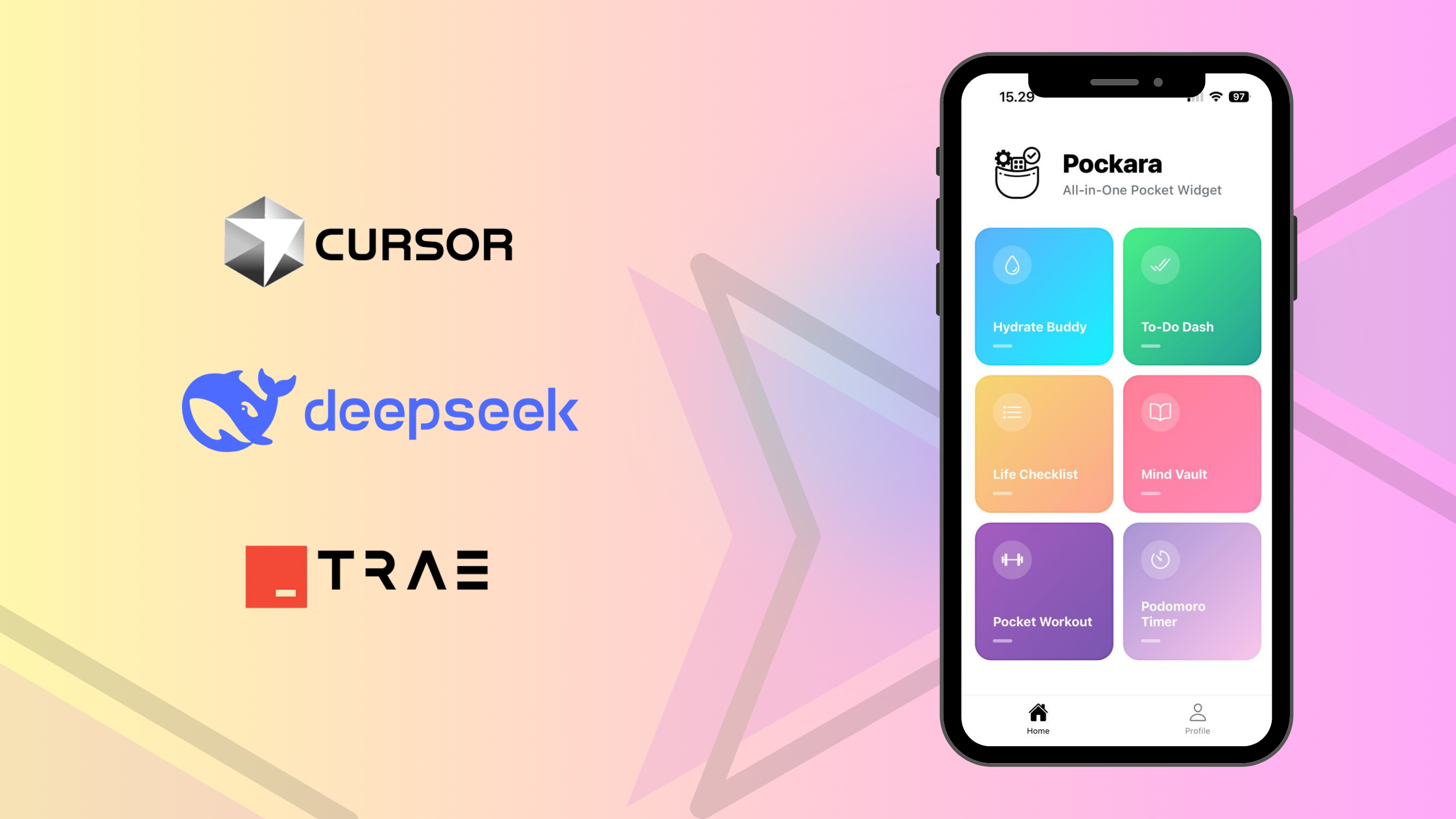
~90% AI-generated, 100% human-reviewed Mobile App Development.
The Idea
As a developer and also a student, I sometimes get annoyed having to switch between different tools and productivity apps throughout the day. So I thought, why not put some of them in one place?
That’s how Pocket Productivity Hub started.
It's basically a collection of small productivity widgets that I actually find useful. Nothing too fancy. I just wanted to build something I'd use myself and see how far I could take it with AI.
The app is built with React Native + Expo, with Appwrite handling the backend and authentication.
My AI Coding Squad
I used three different AI tools throughout this project to experiment and try out different things.
-
Cursor AI (Claude 3.5 Sonnet):
It was pretty good for getting the initial structure and scaffolding together. Then I ran out of the free token and got the annoying “upgrade your plan” pop-up. -
Trae AI (Claude 3.5 Sonnet):
Trae became my main tool for this project. It was free and didn't hit me with any “upgrade your plan” pop-ups, which was nice, although hitting the daily limit usually meant waiting in a queue. -
DeepSeek:
I mostly used DeepSeek when I needed to clean up some styling, refactor things, or when Trae was taking too long.
What went well
Despite being ~90% AI-generated, the results were acceptable. I was able to get things moving quickly, and the app MVP took about a week to build, with AI handling a lot of the boring and repetitive work.
Highlights:
- Built the MVP in just one week
- Discovered creative UI patterns I wouldn't have thought of
- Automated the boring stuff (boilerplate, CRUD ops)
- Speeds up MVP development, great for testing ideas quickly
Overall, it felt less like traditional coding and more like co-designing with a capable assistant.
The Reality Check
Of course, it wasn't all smooth sailing. AI is really good at producing code, but that doesn't always mean it's producing the right code.
A few bumps along the way:
- Messy Debugging: Some models “shotgun” fixes, they throw code until something works
- Dependency Conflicts: Real-world compatibility is still a blind spot for AI
- Token Limits: That moment when you beg for “just one more prompt” 🥺
So yes, AI can code. But it still needs human intuition to guide, test, debug and clean things up.
My Thoughts
Although there's still a lot that can be improved, I'm genuinely happy with the final product, especially considering how much of it was AI-built. The design feels clean and consistent, and the UI/UX interactions are pretty smooth.
That said, security and code quality still need to be kept in mind. When you’re moving quickly with AI, it's easy to focus on whether something works and forget to ask whether it's secure, maintainable, or actually the right solution. That's probably one of the biggest risks of “vibe coding”. The code can look perfectly fine on the surface while hiding problems underneath.
At the same time, I've also seen the opposite happen: AI can sometimes produce a cleaner or more robust solution than what you might expect from a junior developer, especially for common patterns and well-defined problems. The difference is that AI doesn't take responsibility for the result. You still need someone who understands the system well enough to review, test, and challenge what it produces.
AI isn’t replacing developers. it’s reshaping how we work. It handles the repetitive stuff so we can focus on architecture, innovation, and solving real problems. Vibe coding is like having a really smart intern. Amazing for grunt work, but you still need to check their homework.
Developers who embrace AI may outpace those who don't… but when things break (and they will), your fundamentals still matter.
What’s Next
I'm continuing to develop the app, adding more widgets and new integrations to make it even more personal and flexible.
The idea is to slowly turn it into a little personal hub for the tools I use regularly. It's becoming my digital assistant hub, built with AI, for humans.
There's still a lot I'd like to improve, but getting this far in about a week was a pretty interesting experiment.
🎥 Check out the demo video here!
Your Turn
What’s your take on AI-assisted coding?
- Game-changer or temporary hype?
- Have you tried AI-assisted development yourself?
I’d love to hear your opinion and feedback — feel free to reach out at aurellya.dev@gmail.com