// WEB
Invoice Management System II
A system built to help a small business streamline invoicing, customer management, product pricing, and staff workflows through a simple and accessible interface.
Overview
Invoice Management System II is a full-stack web application designed to help a small-scale business manage its invoicing and day-to-day administrative workflows.
The system provides functionality for managing invoices, customers, products, pricing, staff accounts, and business information through a centralised web application.
A major focus of the project was making the application simple and accessible for staff with minimal technical literacy. Rather than requiring staff to work with spreadsheets or multiple disconnected processes, common tasks are organised into a single interface with straightforward workflows.
Background & Motivation
The project was developed to help my father’s small-scale business automate and simplify some of its existing administrative processes.
Many routine tasks involved manually managing invoices, customer information, product prices, and payment records. I wanted to build a system that could reduce repetitive work while making these processes easier for the staff to manage.
The goal was not simply to build an invoice application, but to create something that could be realistically used by people who are not necessarily comfortable with technology.
This influenced several design decisions throughout the project, particularly around navigation, terminology, permissions, and keeping common actions straightforward.
Key Functionality
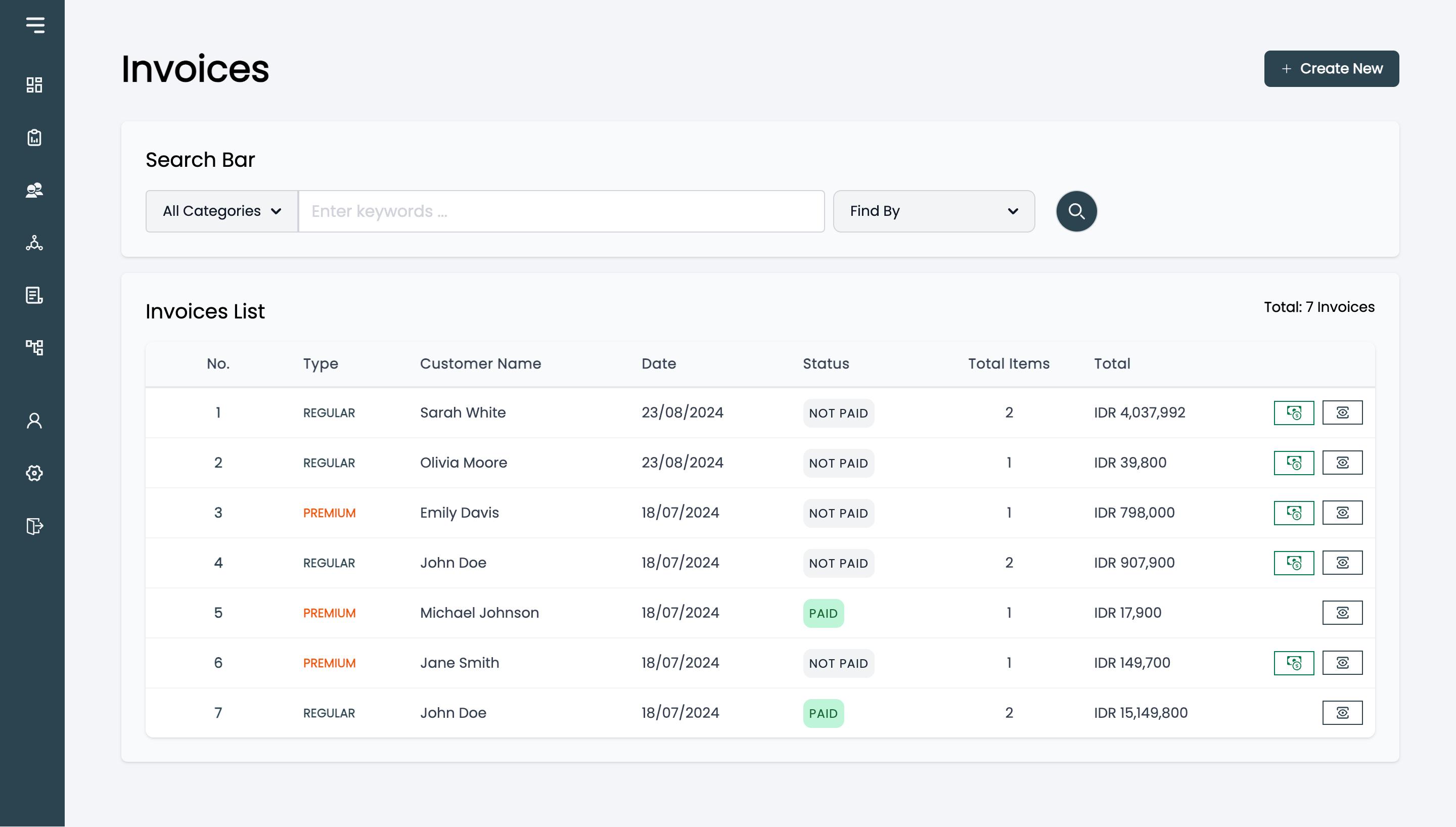
Invoice Management
- Create regular and premium invoices
- View invoices and invoice details
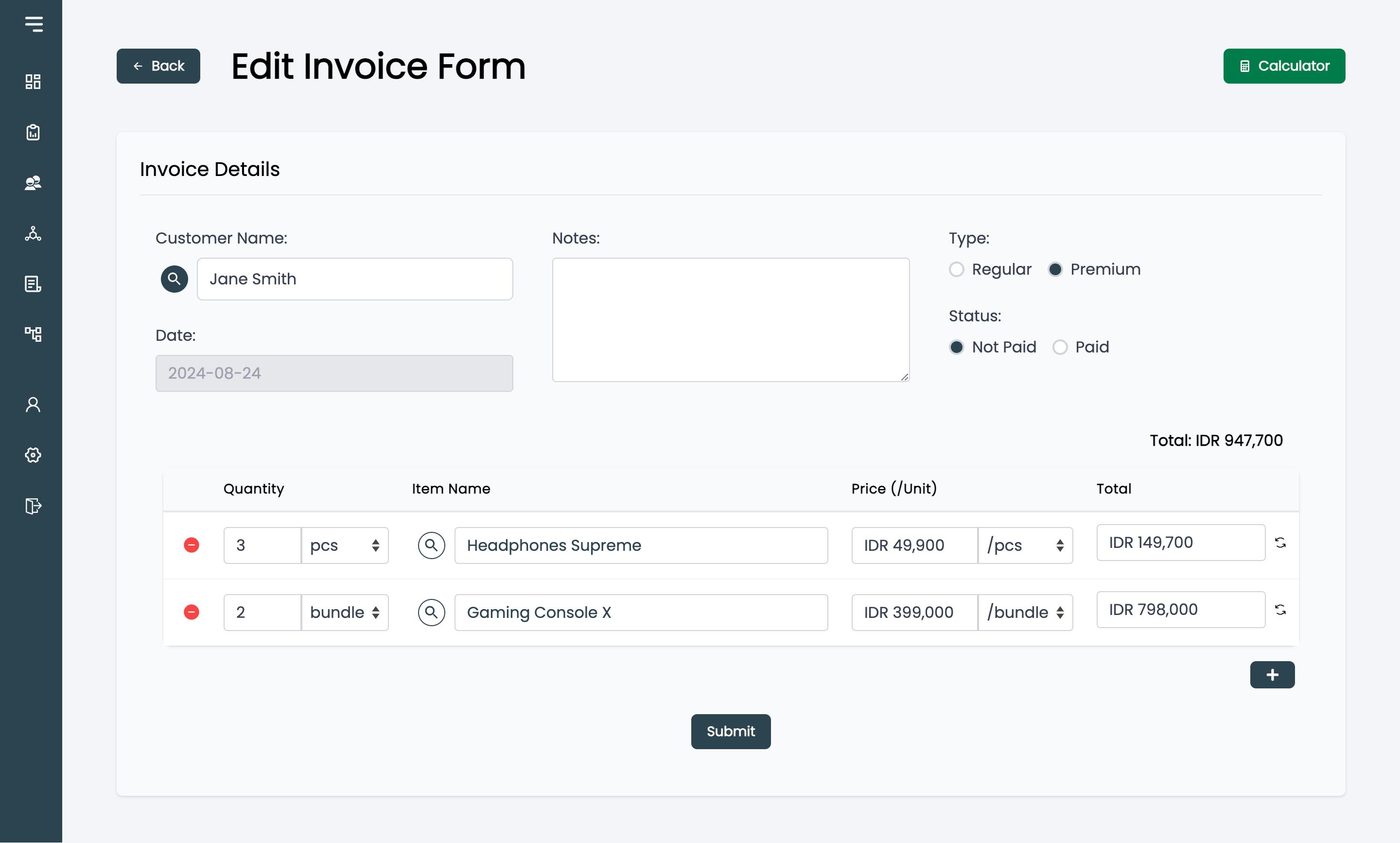
- Edit unpaid invoices
- Restrict editing of paid invoices to administrators
- Update invoice payment status
- Delete invoices
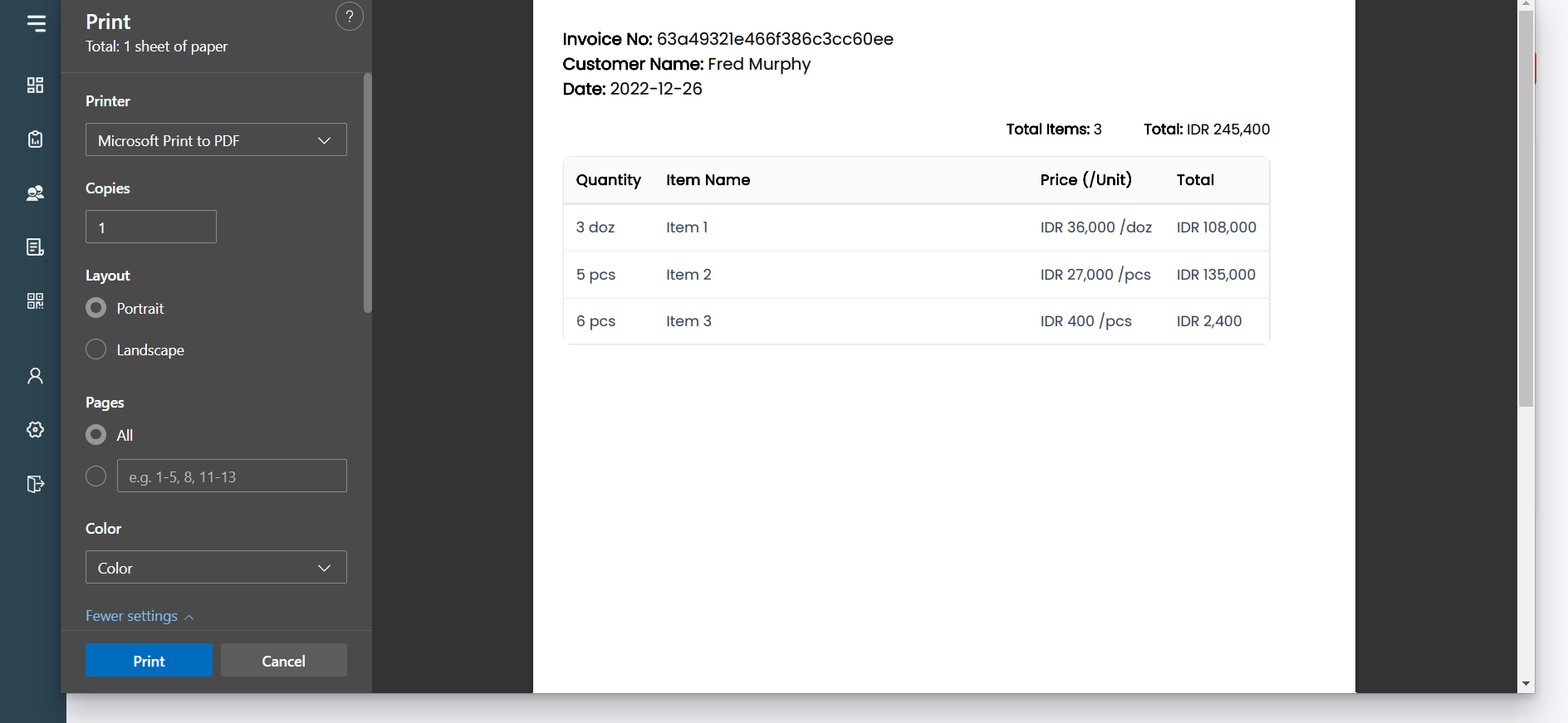
- Print invoices
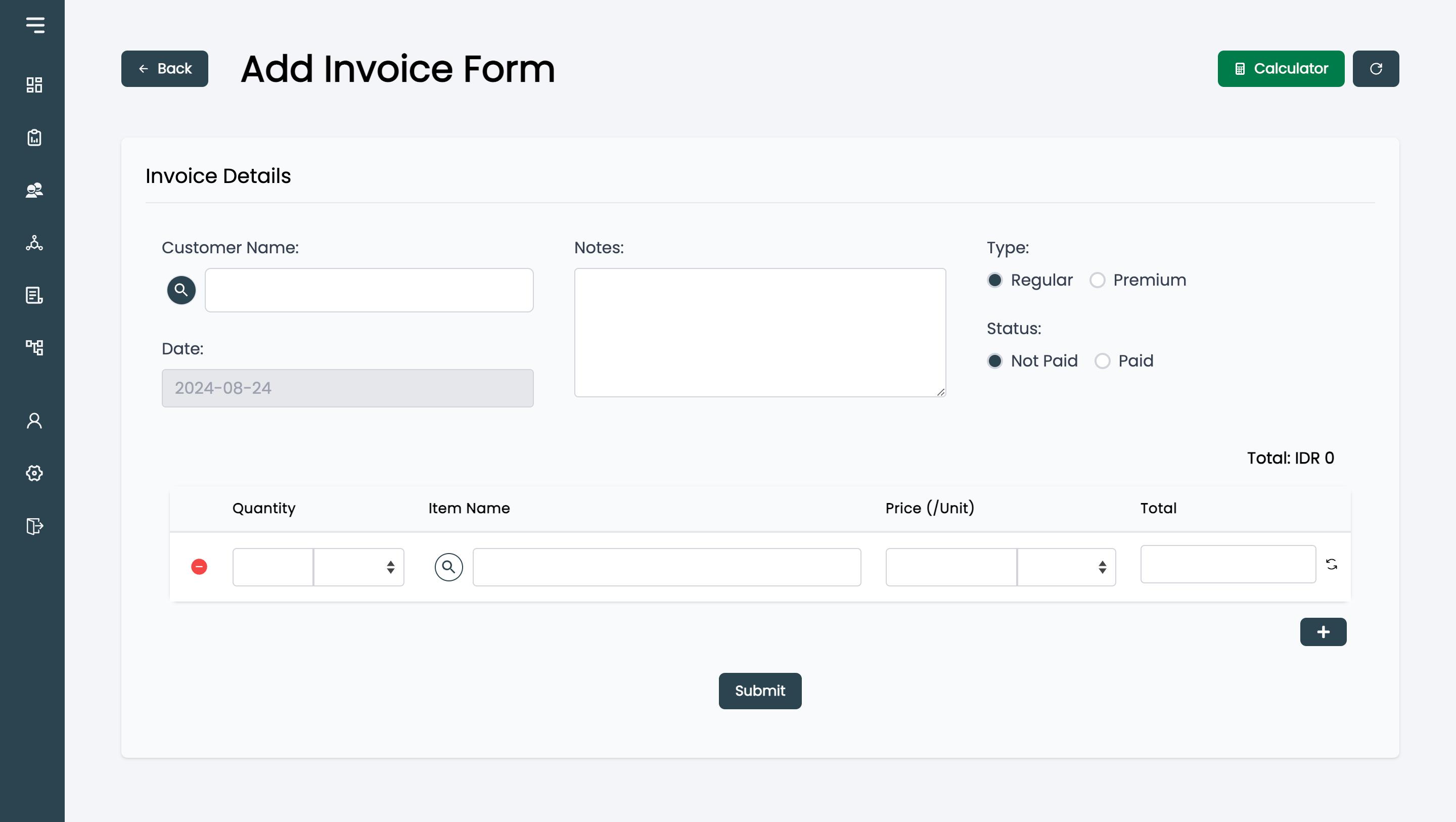
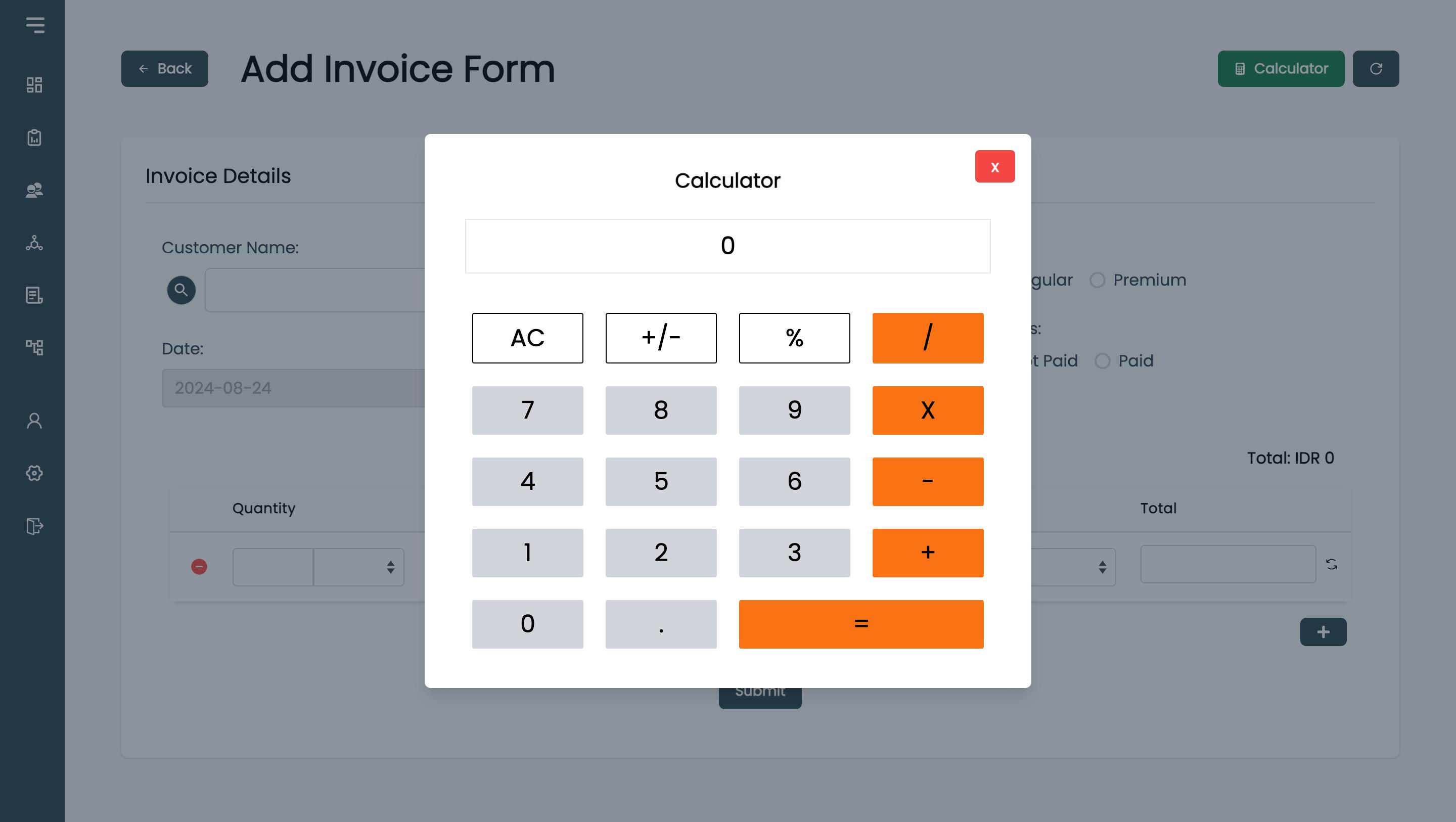
- Use a built-in calculator while preparing invoices
When adding products to an invoice, users can start typing a product name and select from matching suggestions. The selling price is filled in automatically from the price list, and the line total is calculated based on the quantity entered. Prices and product names can still be adjusted manually when needed, such as for negotiated prices or special arrangements.
Customer Management
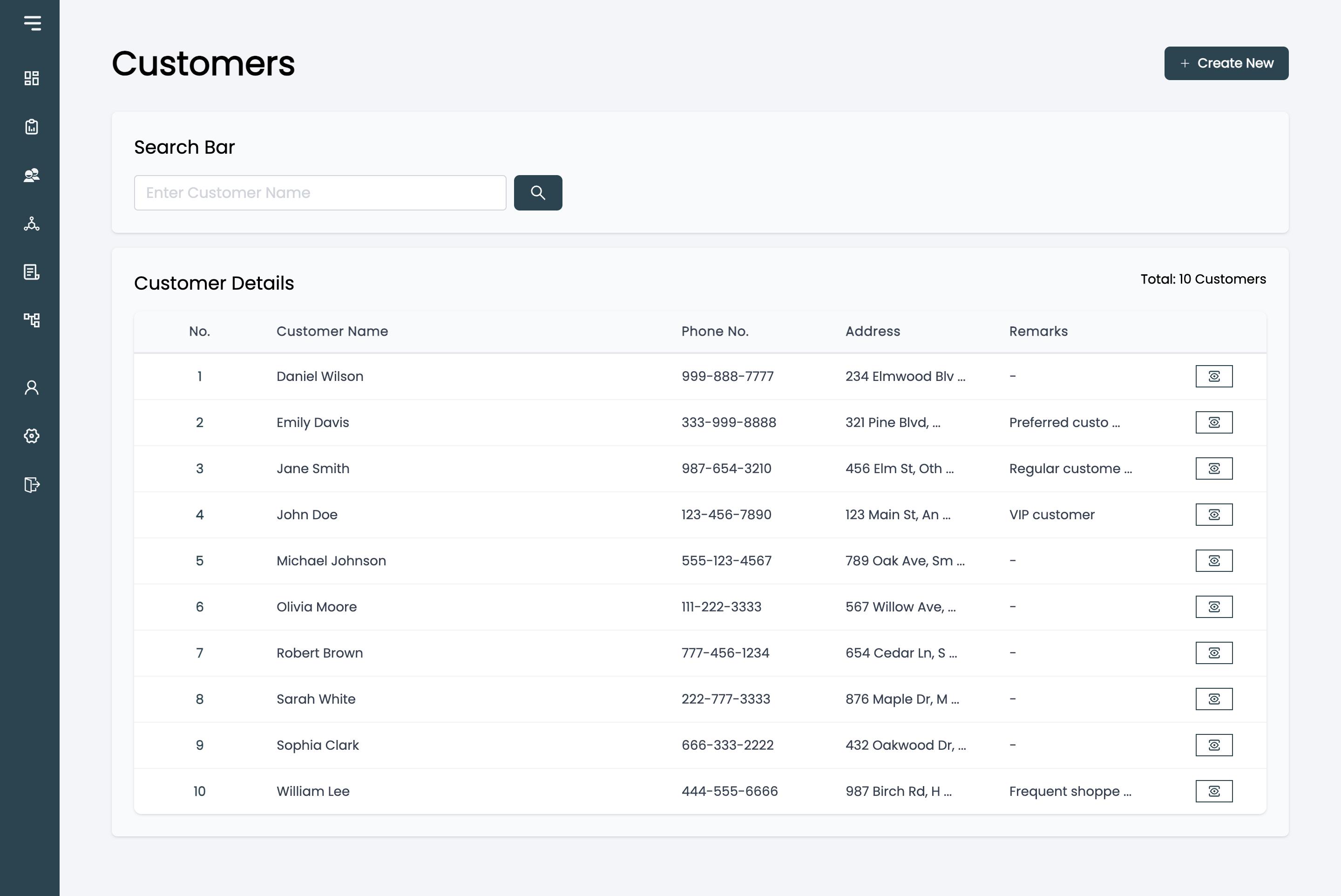
- View customers
- View customer details
- Add customers
- Edit customer information
- Delete customers
Product & Price List Management
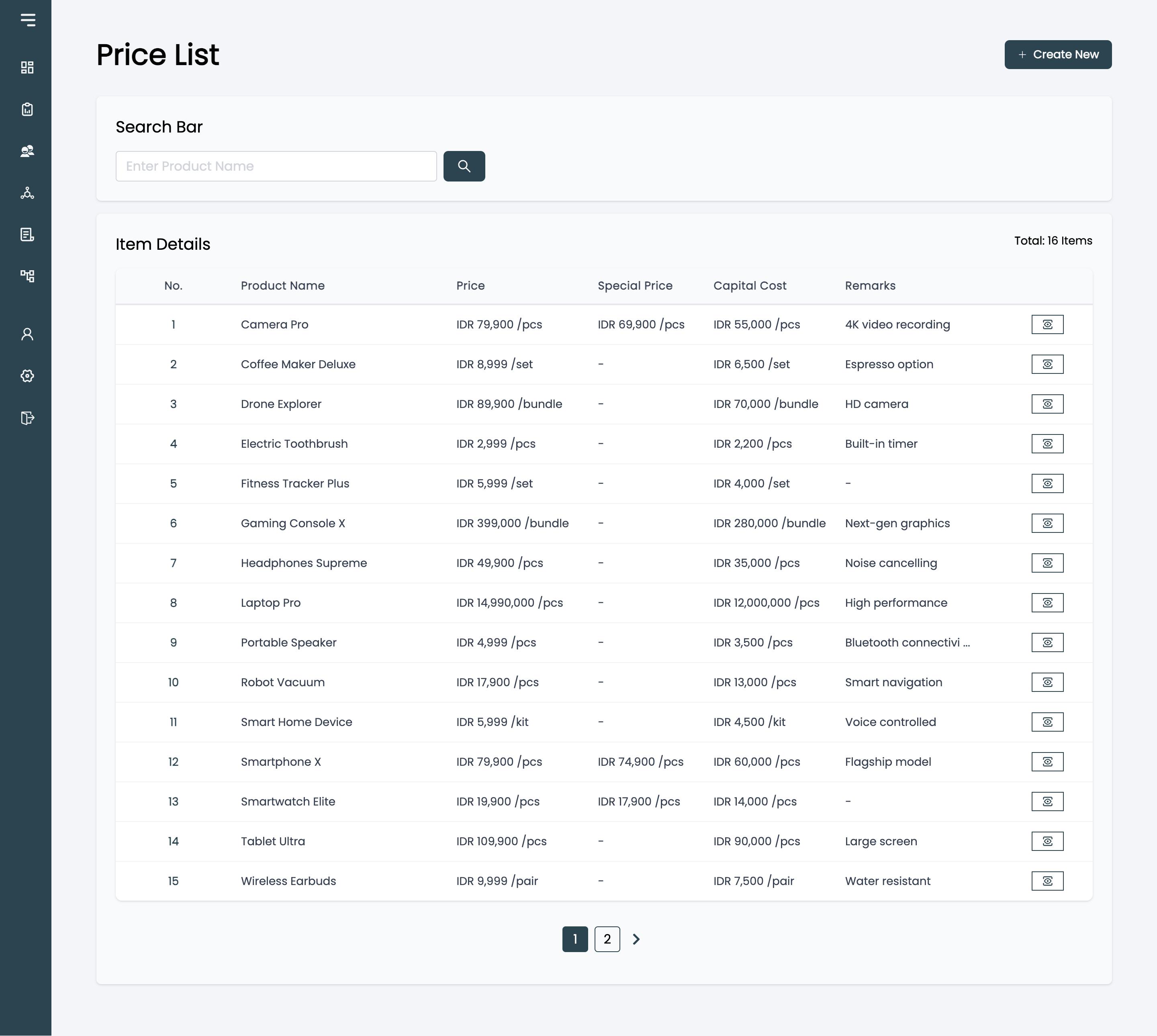
- View products and prices
- View product details
- Manage purchase and special pricing
- Add new products
- Edit products
- Delete products
Special pricing can be applied for specific customers or particular sales conditions, such as bulk purchases or other negotiated pricing arrangements. Purchase costs are restricted to administrators, while staff can only view the selling prices. This keeps internal cost information hidden from regular staff.
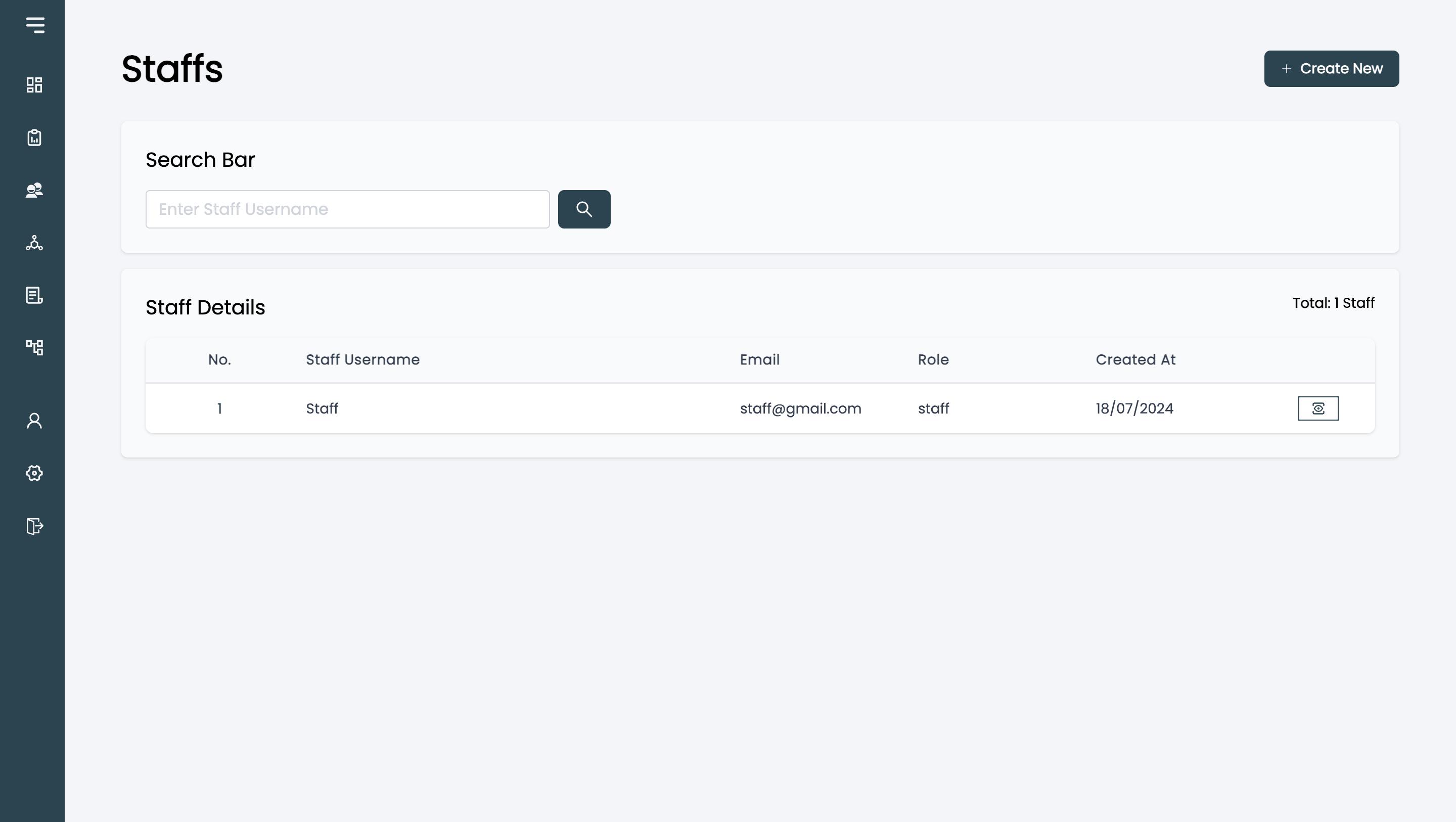
Account Management
Administrators can:
- View staff and administrator accounts
- Add new accounts
- Edit accounts
- Delete accounts
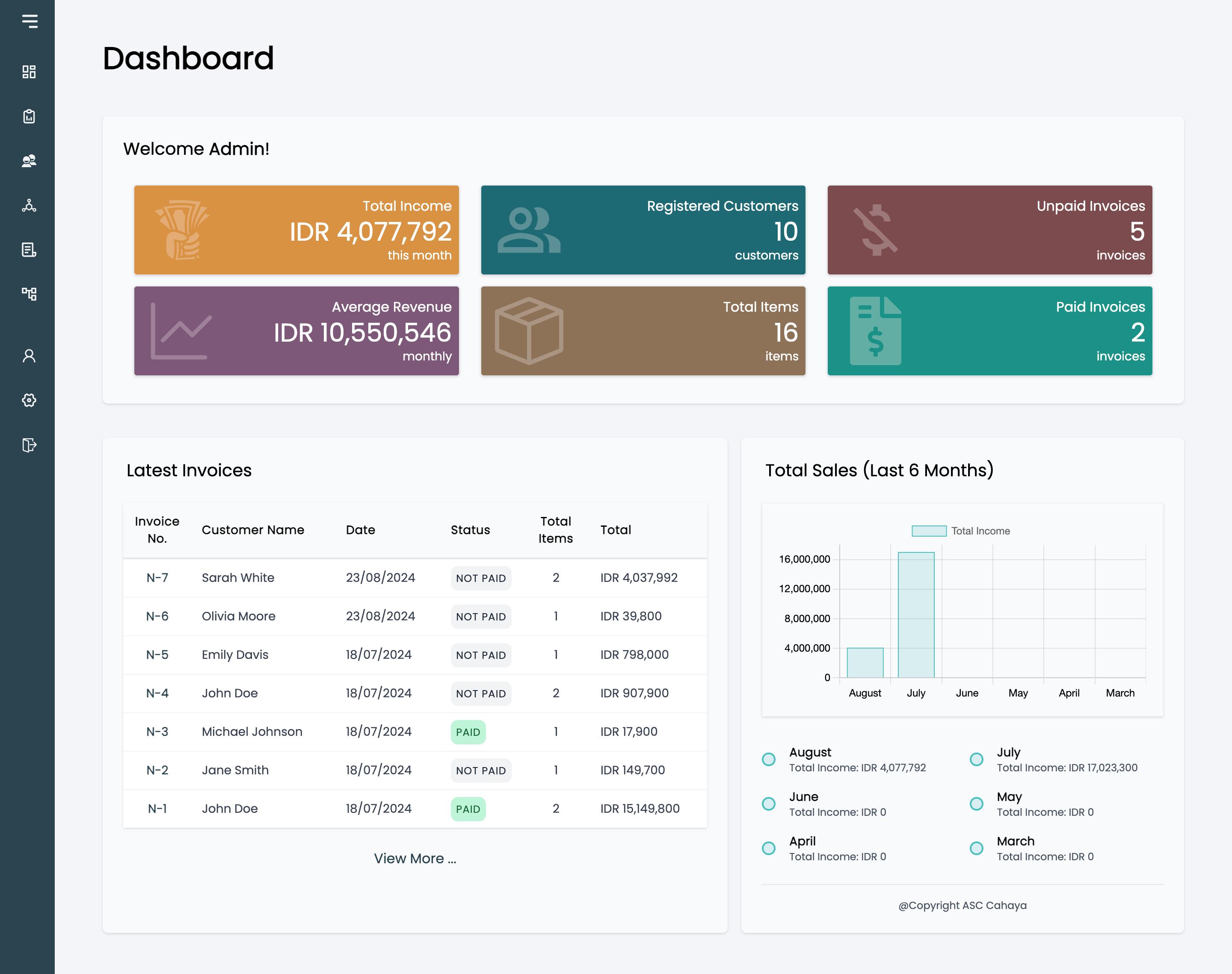
Dashboard
Administrators can view:
- Business statistics
- Summary information
- Overview of business activity
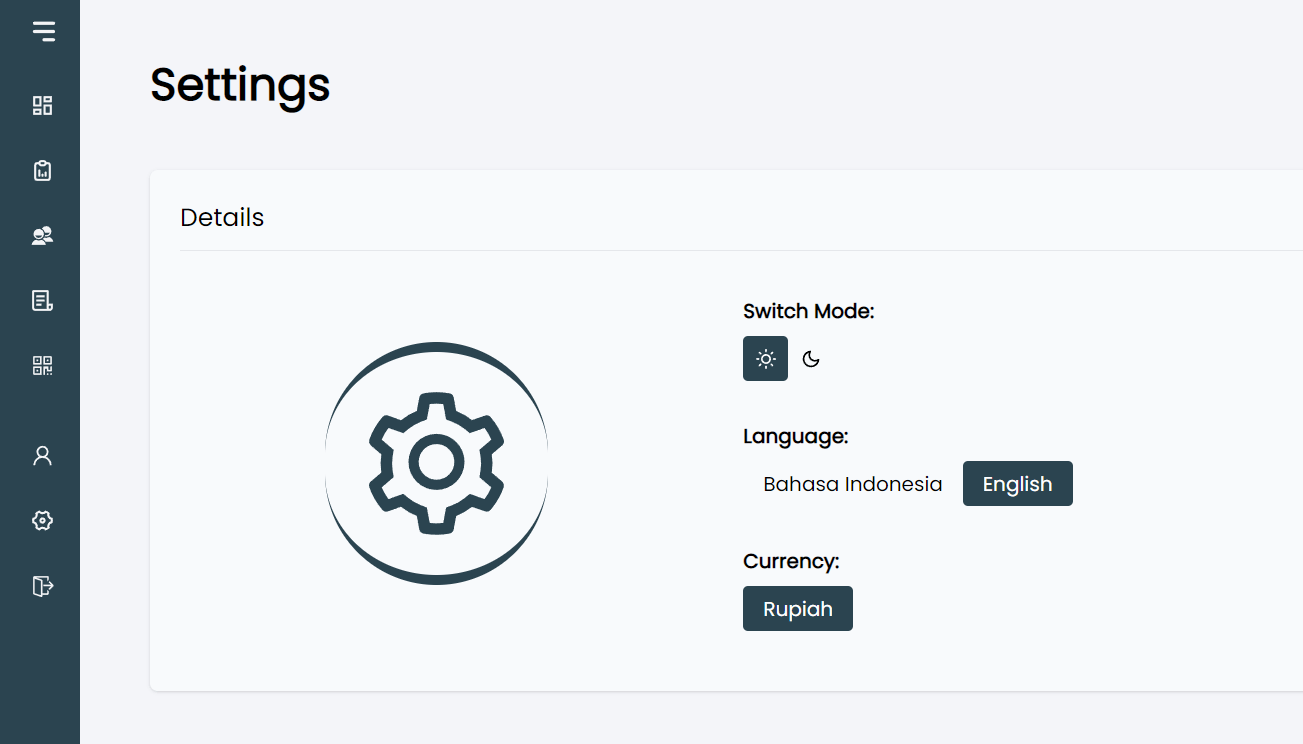
User Settings
- Light and dark mode
- English and Bahasa language support
- Currency settings (planned)
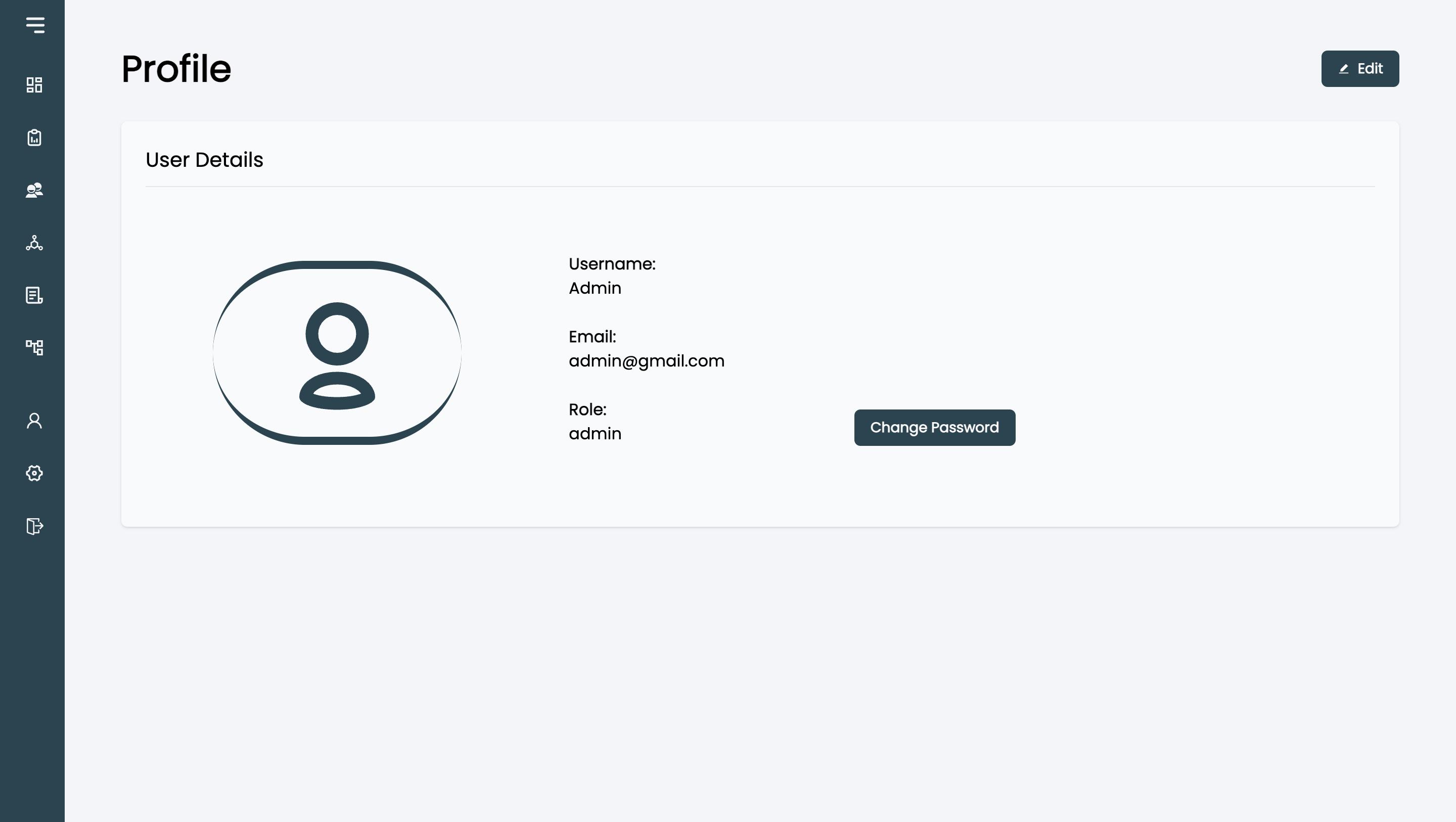
Profile Management
- View profile
- Edit profile
- Change password
- Delete account
- Sign out
User Experience
Because the application was intended for use by staff with varying levels of technical experience, usability was an important consideration.
The interface was designed around a few principles:
- Keep frequently used actions easy to find
- Use consistent layouts across different sections
- Keep forms straightforward
- Avoid unnecessary technical terminology
- Separate administrator functionality from normal staff functionality
- Reduce the number of steps required for common tasks
- Provide familiar workflows for creating and managing invoices
The intention was to make the application something staff could learn quickly without requiring extensive technical training.
Technical Approach
The app was built with React.js, Vite.js, and Tailwind CSS on the frontend, with Express.js and Sequelize handling the backend. Supabase was used for the database, while Firebase and Google App Engine were used for deployment. I also implemented role-based access so administrators and staff have different levels of access depending on what they need to do.
Preview
Below are some previews of the application’s pages.
Login Page

Dashboard
Invoice Management
Invoice Details
Add Invoice
Edit Invoice
Print Preview
Calculator
Customers
Price List
Account Management
Profile
Settings
Lessons Learned
This project gave me experience building software for a real-world business use case rather than a purely academic or experimental project.
I learned that developing useful software involves more than implementing features. Understanding how users actually work and designing around their level of technical experience can have a significant impact on whether a system is practical.