// OTHERS
QnA Room
A Java GUI application created as a school assignment to explore interactive question-and-answer interfaces.
Overview
QnA Room is a simple Java GUI application created as a school assignment.
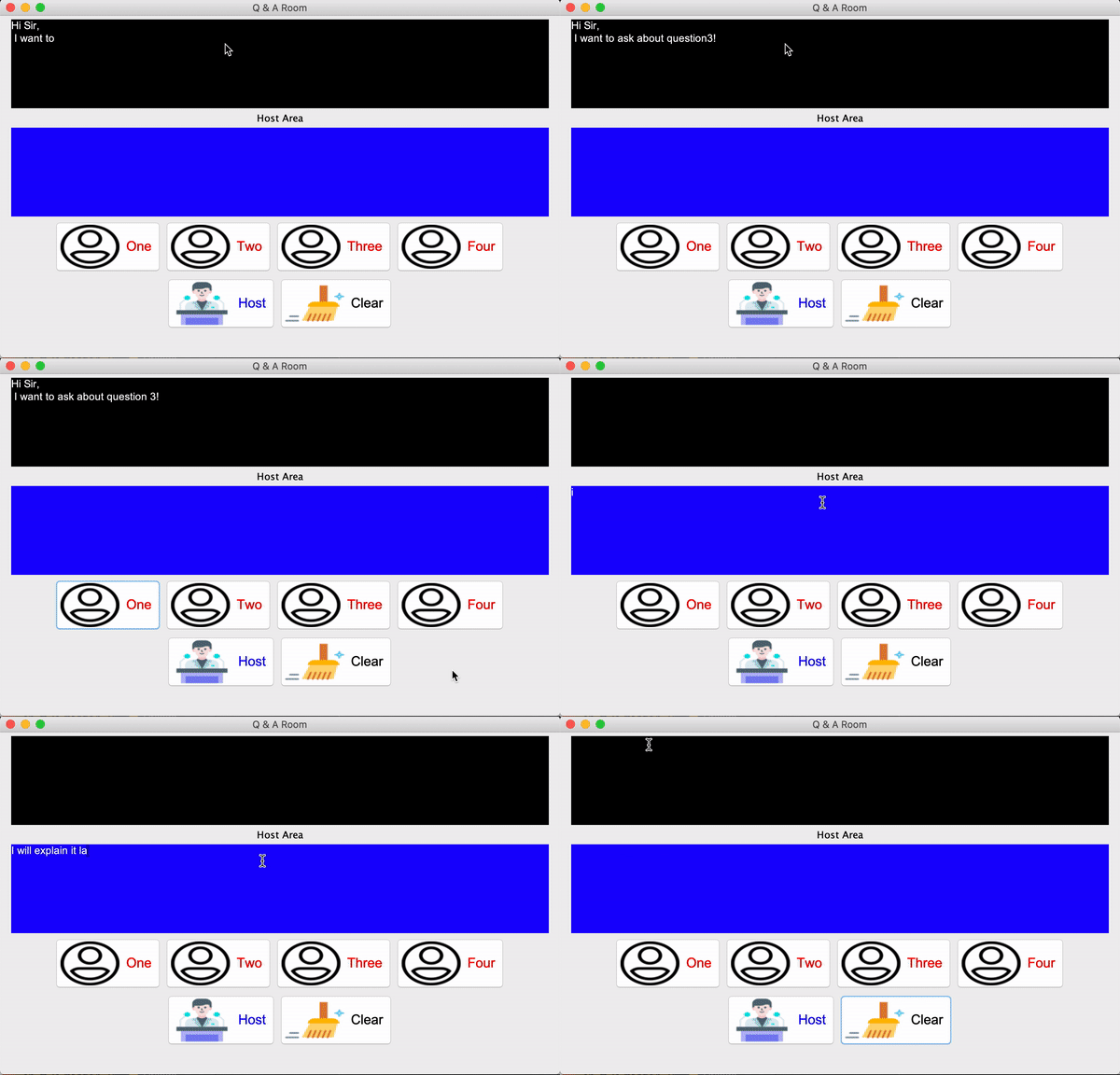
The application simulates a question-and-answer room for online workshops, where participants can submit questions and a host can respond to them through the interface.
The project was created as an introduction to Java GUI development and interactive interface design.
How it works
The application provides separate areas for participants and the host.
Participants can:
- Enter their details
- Submit a question
- View their submitted question through the interface
The host can:
- View submitted participant questions
- Provide answers through the host text area
- Clear the text area when needed
When a participant submits a question, a panel appears displaying the participant's information and question.
Technical approach
The project focuses on:
- Building a graphical interface using Java Swing and AWT
- Handling button and user interactions
- Using lambda expressions for event handling
- Updating interface components dynamically
- Managing text input and output
Lessons learned
This project gave me my first hands-on experience with Java GUI development.
I learned how to create and arrange GUI components, handle user interactions, respond to events, and connect interface elements to application behaviour using Java.
There’s nothing fancy about it, but it was a good introduction to building desktop interfaces in Java using AWT and Swing.