// OTHERS
SIM Connect Scraper
A Python automation tool that extracts student schedules from SIM Connect and exports them into an Excel spreadsheet.
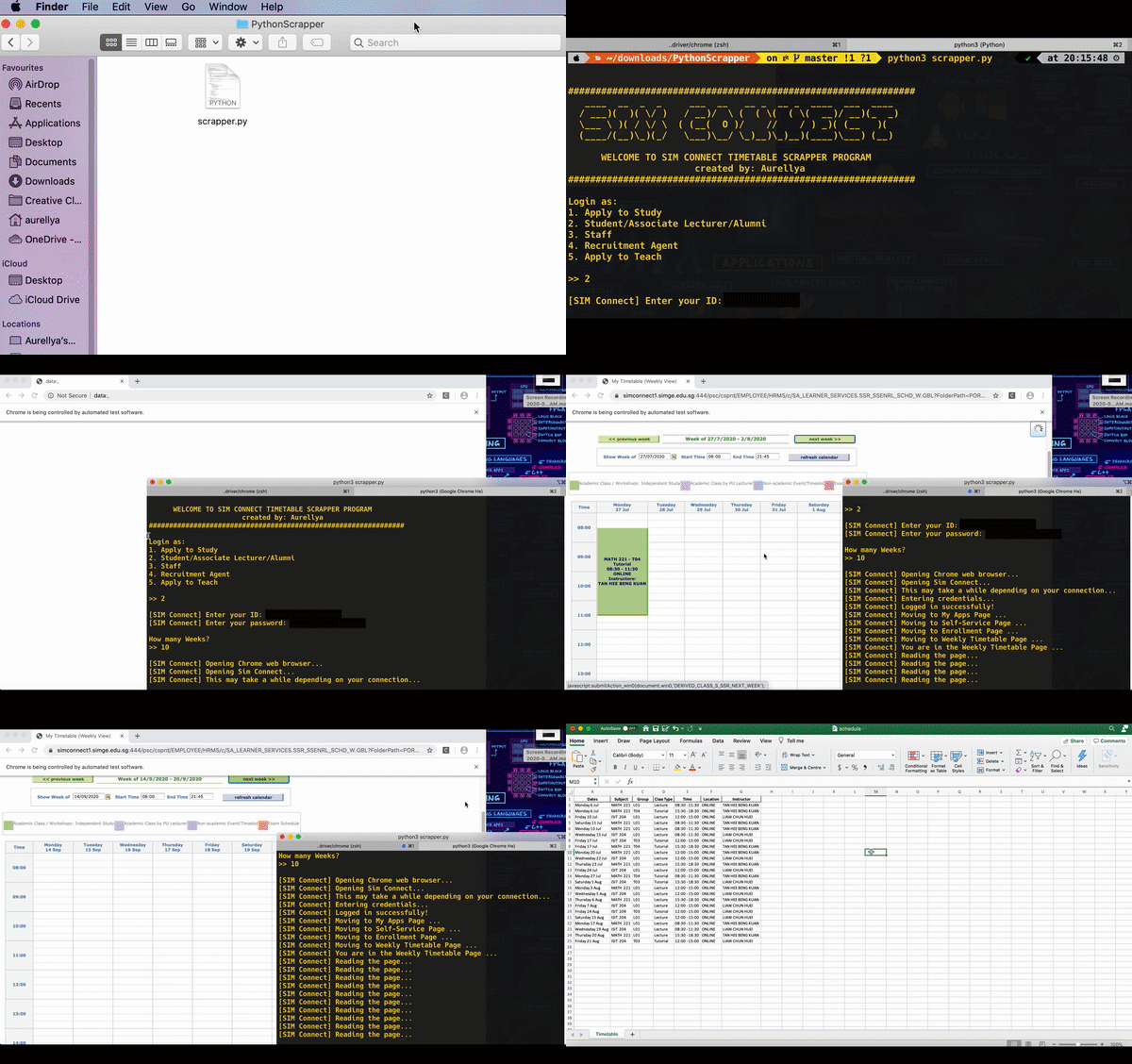
Overview
SIM Connect Scraper is a Python automation tool that extracts student schedules from the SIM Connect platform and exports them into an Excel spreadsheet. The tool allows students to specify the period they want to retrieve and automatically collects the relevant schedule information.
The project focused on automating a repetitive task and transforming information from the SIM Connect website into a simpler, structured format that could be easily viewed and managed.
Technical approach
The application focuses on:
- Automating browser interaction using Selenium
- Logging into SIM Connect using the user’s credentials
- Extracting schedule information from the website
- Parsing web content with Beautiful Soup
- Processing and structuring schedule data using Pandas
- Exporting the resulting schedule to an
.xlsxfile
Purpose
The main goal was to make it easier for students to access and manage their schedules.
Instead of repeatedly checking the website, students can run the script once and receive their full schedule in a structured Excel file within a specified timeframe.
Requirements
To use the application, you need:
- A valid SIM Connect student account
- Python 3.x
- Chrome and ChromeDriver
The project uses the following Python libraries:
- Beautiful Soup
- Selenium
- Pandas
- XlsxWriter
- webdriver-manager
Lessons learned
This project gave me practical experience with web automation, web scraping, data processing, and Excel file generation.
It also helped me understand how browser automation and data-processing libraries can be combined to turn information from an existing web platform into a more convenient format that suits your needs.